

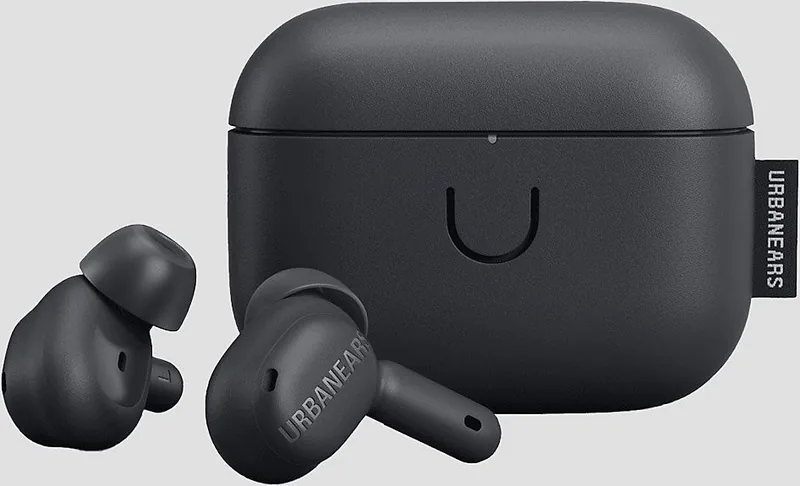
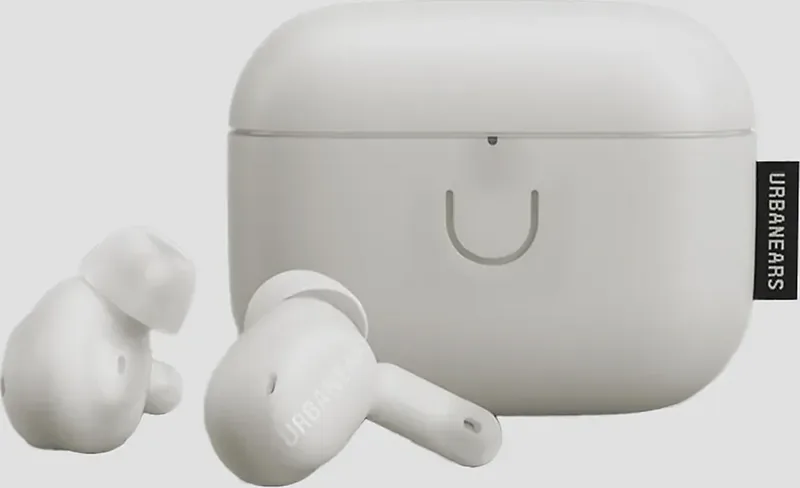
Urbanears Juno Manual
Manual en PDF · 1 Páginas
Español


Verificación rápida
Respuesta incorrecta, inténtalo de nuevo.
Chatee con su manual de Urbanears Juno usando IA
Obtenga respuestas instantáneas de IA de su manual de Urbanears Juno
Pregunte lo que quiera sobre Urbanears Juno. Las respuestas provienen de este manual, con las páginas en las que se basan.
Haz una Pregunta
¿Recomiendas Juno?
Sí NoPreguntas frecuentes
Put both earbuds in the case with the lid open. Hold the case button for three seconds until the LED flashes blue. Then select "Urbanears Juno" from the Bluetooth menu on your phone, tablet, or computer.
¿Esta respuesta fue útil?
Yes. Urbanears Juno can be connected to two devices at the same time, making it more convenient to switch between devices such as a phone and laptop.
¿Esta respuesta fue útil?
Juno provides ANC for reducing ambient noise, Transparency for letting some surrounding sound through, and Off for disabling both sound-control functions.
¿Esta respuesta fue útil?
Place the earbuds in the case and close its lid to charge them. Charge the case with a USB-C power source or place it back-side down on the center of a compatible wireless charging pad.
¿Esta respuesta fue útil?
Blue indicates Bluetooth pairing readiness. The case battery indicator ranges from red when low to green when full. A solid violet LED indicates the factory-reset state.
¿Esta respuesta fue útil?
Remove "Urbanears Juno" from your device's Bluetooth list. Put both earbuds in the case with the lid open, then press the case button until the LED is solid violet. Select the earbuds in Bluetooth settings to pair again.
¿Esta respuesta fue útil?
Ventajas y Desventajas
Ventajas

- Supports connection to two devices simultaneously for easier switching between phone and computer.
- Offers ANC, Transparency, and Off modes to suit focused listening or environmental awareness.
- Touch controls handle music, calls, track navigation, and noise-control changes.
- Charging case supports both USB-C power and wireless charging.
- Includes S, M, and L ear tips to help achieve a stable, comfortable seal.
Desventajas

- A factory reset deletes customized settings and requires the earbuds to be paired again.
- Touch controls may require app customization to match individual preferences.
- Battery care guidance discourages fast charging and exposure to temperature extremes.
- Standby activation requires tapping both earbuds after they have powered down.
- Cleaning requires care to prevent moisture from entering openings or speaker grilles.
Producto Especificación
Tipo
Auriculares intraaurales
Factor de forma
Totalmente inalámbricos, sin ganchos para las orejas
Diseño
Cerrado
Micrófono
Integrado
Inalámbrico
Bluetooth 5.2, AAC, multipunto
Controles
Control táctil
Duración de la batería
6 h (con ANC), 26 h (con estuche de carga)
Batería
Puerto de carga USB-C, estuche de carga, carga inalámbrica (Qi), tiempo de carga de 2 h
Rango de frecuencia
20 Hz-20 kHz
Impedancia
14 ohmios
Sensibilidad
98 dB
Controlador
6,1 mm
Características del dispositivo
Cancelación activa de ruido (ANC), modo ambiente, resistente al agua (IPX4)
Funciones de software
Control mediante aplicación
Peso
4,25 g (por auricular), 38 g (estuche de carga)
Producto Descripción
Manual de Urbanears Juno: Escucha inalámbrica diaria
Los auriculares inalámbricos Urbanears Juno están diseñados para quienes desean un control de sonido flexible, un uso diario sencillo y un ajuste seguro dentro del oído. Esta descripción general del manual de Urbanears Juno destaca las funciones prácticas que hacen que los auriculares sean adecuados para desplazamientos, llamadas, trabajo concentrado y escucha relajada. Con controles táctiles en ambos auriculares, los usuarios pueden gestionar la música y las llamadas sin tener que usar el teléfono.
Control de sonido para distintos entornos
Juno incluye tres modos de control de sonido que permiten elegir qué tan conectado se desea estar con el mundo alrededor. La cancelación activa de ruido (ANC) ayuda a reducir los sonidos ambientales que distraen, por lo que resulta útil en espacios concurridos o durante los viajes. El modo Transparencia deja pasar determinados sonidos externos, lo que ayuda a estar más atento a conversaciones, anuncios o al tráfico. Desactivar el control de sonido proporciona una experiencia de escucha más natural cuando no se necesita ninguno de los dos modos.
Un gesto de mantener pulsado cambia entre los modos ANC, desactivado y Transparencia. Los controles también pueden ajustarse en la aplicación Urbanears, lo que ofrece a los usuarios la opción de adaptar los auriculares a sus propios hábitos.
Emparejamiento sencillo y conexiones duales
El emparejamiento comienza con ambos auriculares colocados en el estuche de carga mientras la tapa permanece abierta. Mantenga pulsado el botón del estuche hasta que el LED parpadee en azul y, a continuación, seleccione Urbanears Juno en el menú Bluetooth de su dispositivo. Juno puede permanecer conectado a dos dispositivos a la vez, una función útil para alternar entre un ordenador y un teléfono sin tener que emparejar repetidamente.
Los gestos táctiles simplifican las acciones principales. Un solo toque reproduce o pausa el audio y responde o finaliza llamadas. Dos toques avanzan una pista o rechazan una llamada entrante, mientras que tres toques regresan a la pista anterior. Estos gestos hacen que la escucha diaria sea rápida y cómoda.
Carga, ajuste y cuidado a largo plazo
Los auriculares se cargan y se apagan al volver a colocarlos en el estuche con la tapa cerrada. El estuche admite carga mediante USB-C y carga inalámbrica, lo que ofrece opciones convenientes en casa o en un escritorio. Su LED indica el estado de carga, desde rojo cuando la batería está baja hasta verde cuando está completamente cargada.
Se incluyen tres tamaños de almohadillas - pequeño, mediano y grande. Elegir el ajuste adecuado es importante porque un sellado ceñido y cómodo puede mejorar la calidad del sonido, el rendimiento de ANC y la estabilidad durante el movimiento.
La limpieza regular también ayuda a conservar la comodidad y el rendimiento. Retire las almohadillas de silicona y límpielas por separado con un paño sin pelusa o desinfectante ligeramente humedecido. Mantenga los líquidos alejados de las aberturas y rejillas de los altavoces, y utilice un cepillo suave y seco o un bastoncillo de algodón para las zonas delicadas.
Nota: Evite la carga rápida cuando sea posible, mantenga la carga de la batería por encima del 30 % cuando resulte práctico y guarde Juno con aproximadamente media carga en un lugar fresco y seco si no se utilizará durante un periodo prolongado.
Buscar: 67.706 Manuales en línea


Escribe la marca o modelo