
Manual.ly Logo

Muse M-22 Manual

0,0 · 0 Valoraciones

Manual en PDF · 15 Páginas

Español

M: OA-GPT-5-NAN
página

/ 15

Loading...
d976c30e977b2df99508530257acca3ac3c8 page 5
EN - 3 EN - 4
SPECIFICATIONS
POWER SUPPLY:
AC:
DC:
POWER CONSUMPTION:
OUTPUT POWER:
BLUETOOTH
Bluetooth Version: V5.0
Bluetooth:2.402-2.48GHz
RF Output Power: 0 dBm
Working Distance: Up to 10 meters measured in open space (wall and structures may a󰀨ect range of device)
Specications are subject to change without notice.
RADIO
FREQUENCY RANGE
FM:
AM(MW):
230V 50Hz
9V 6x 1,5 V type UM-2/R14/ ‘C’
14W
2 x 1 Watt RMS
87.5 - 108 MHz
522 - 1620 kHz
SAFETY
CAUTION:
To reduce the risk of electric shock, do not disassemble this product. The unit contains no
user serviceable parts inside . Refer all servicing to a qualied technician.
The lightning ash with arrowhead within a triangle alerts the user to the presence of “dangerous voltage” inside
the product.
The exclamation point within a triangle to alert the user to the presence of important instructions in the literature
accompanying the appliance.
WARNING: TO PREVENT FIRE OR SHOCK HAZARD, DO NOT EXPOSE THIS PRODUCT TO RAIN OR MOISTURE.
ATTENTION: Invisible when safety devices are open or defective laser radiation . Avoid exposure to beam.
Device class 1 laser.
ATTENTION!
- Ensure proper ventilation of the unit and do not cover the ventilation openings with items such as newspapers,
tablecloths, curtains, etc. .
- Do not put any heat sources , such as lighted candles , on or near the appliance .
- Use this unit in a temperate climate .
- Do not expose the unit to dripping or moisture .
- Ensure a minimum distance of 5 cm around the unit to allow adequate ventilation.
- Do not place objects lled with liquids, such as vases, on or near the appliance.
- The plate is located at the rear of this unit.
- The mains plug is used to disconnect the device and must be easily accessible. To completely remove power from the
unit, unplug the AC power plug from the outlet completely. The AC power plug can not be constrained and must be
easily accessible during use.
- As a result of electrostatic phenomena and / or electrical transients, the product may malfunction and reset may be
necessary.
- Do not expose the batteries to excessive heat such as direct sunlight, re or other sources of heat.
- Please respect the environment when disposing of used batteries.
- To prevent splashing, place objects lled with liquids, such as vases, near the product.
- Under the inuence of fast transient and / or electrostatic electric phenomenon, the product may malfunction and the
user must perform a power reset of the device.
- The normal function of the product may be disturbed by strong Electro-Magnetic Interference. If so, simply reset the
product to resume normal operation by following the instruction manual. In case the function could not resume, please
use the product in other location.
If you want to dispose this product, remember to recycle in a landll for household electric appliances. Learn
to know your recycling center nearest you. Check with local authorities or your dealer for details. (Directive on
Waste Electrical and Electronic Equipment )
CLASS 1 LASER PRODUCT
APPAREIL À LASER DE CLASSE 1
PRODUCTO LASER DE CLASE 1
PRODUTO LASER CLASSE 1
PROGRAM PLAYBACK
1. Insert the disc with the label facing up, into the compartment and close the CD door.
2. Press .
3. Press .
4. Select the desired track with or then press to save the program in memory.
5. Repeat step 4 until the end of your programming.
6. Press to start playback. This PROGRAM function is automatically cancelled when opening the CD door or shutdown
of the unit.
Note: CD up to 20 programs.
MAINTENANCE
CLEANING
CAUTION: Disconnect this device from any power source before cleaning.
- Use a soft, clean, dry cloth. Dust regularly ventilation holes on the back or sides of the apparatus.
- The use of solvents or abrasive products or with a basis of alcohol can damage the unit.
- If an object or liquid enters the unit, unplug it immediately and have it checked by an authorized engineer.
Notes on discs
* Do not use irregularly shaped discs (example : heart-shaped, octagonal ones). The unit may malfunction.
* Do not place more than one disc in the compartment.
* Do not attempt to open the disc tray during playback.
* Do not touch the lens. You could cause a malfunction.
* If the disc is scratched, dirty or smudged with ngerprints, the device may not work. Before playing, wipe the disc with a
cloth. Proceed from the center outwards. Do not store discs in places with high temperature or high humidity. They could
bend. After reading, replace the disc in its case.
IMPORTANT NOTE
Remove the disc from its compartment if the device is to be transported.
AUXILIARY INPUT ( AUX . IN)
1. Connect one end of the cable (not supplied) to the auxiliary input connector of the device.
AUX IN
2. Connect the other end of the cable to the headphones jack or the line out jack of your external audio appliance.
3. Press to select the auxiliary mode. « AUX » appears on the display. Normally use your external audio appliance;
the sound automatically goes through the speakers of your device.
4. Adjust the volume to the desired level.
5. Disconnect the external appliance from the auxiliary input to stop playback.
LISTENING TO DISC
1. Press to turn the unit on.
2. Open the CD door.
3. Insert the disc with the label facing up and then close the compartment.
4. Press to select the CD mode.
5. After a few seconds, the total number of tracks and the CD icon will appear on the display.
To:
- Pause Playback: Press once / PAIR
- Resume playback: Press again / PAIR
- Permanently stop playback: Press
- Search forward or backward: Press and hold or
- To skip to the next or previous track: press or
DISK ERROR
Note: If the disc is dirty, damaged or unreadable or if it is placed upside down, “NO” is displayed. If this happens, clean the
disc, insert the disc correctly or try another disc.
If you encounter CD playback problem, either of the following ways may help:
1. Turn o󰀨 the unit. Disconnect the AC power cord from AC outlet and reconnect it again.
2. Clean your CD disc.
REPEAT PLAYBACK
Repeatedly press to select one of the following playback modes. Track Repeat, Repeat All.
TO DISABLE THE REPEAT PLAYBACK
Press repeatedly until the repeat mode indicator disappears from the display. The repeat function is automatically
cancelled at the opening of the door of the CD or the shutdown of the unit.
NEW ONE S.A.S
10, Rue de la Mission, 25480 Ecole Valentin, France
RD-3353TC IB MUSE 001 REV2.indd 5RD-3353TC IB MUSE 001 REV2.indd 5 2023/5/17 15:38:342023/5/17 15:38:34

Chatee con su manual de Muse M-22 usando IA

Obtenga respuestas instantáneas de IA de su manual de Muse M-22

Pregunte lo que quiera sobre Muse M-22. Las respuestas provienen de este manual, con las páginas en las que se basan.

M-22 Programa de mantenimiento

Regularmente
Limpiar los orificios de ventilación

Utilice un paño suave, limpio y seco para retirar regularmente el polvo de los orificios de ventilación en la parte posterior o lateral de la unidad. No cubra estas aberturas con objetos.

Mostrar en el manual (página 5)
Antes de usar
Limpiar el disco CD

Limpie el disco con un paño suave desde el centro hacia afuera antes de reproducirlo si está rayado, sucio o tiene huellas dactilares.

Mostrar en el manual (página 5)
M: QW-35-FL

Haz una Pregunta

0/1000

¿Recomiendas M-22?

Sí No

Preguntas frecuentes

A

El M-22 admite reproducción de CD (CDs de audio estándar), radio FM y AM (MW), transmisión inalámbrica por Bluetooth y una entrada AUX para fuentes de audio externas por cable.

¿Esta respuesta fue útil?

A

Seleccione el modo Bluetooth en la unidad, active Bluetooth en su teléfono y busque dispositivos. Elija "M-22 BT" y confirme. Si se solicita, introduzca el PIN 0000. Un pitido y un icono indican emparejamiento exitoso.

¿Esta respuesta fue útil?

A

Sí. La unidad acepta seis pilas de 1.5V tipo C (UM-2/R14). Insértelas respetando la polaridad y desconecte el cable de CA para funcionar con pilas. Retire las pilas si guarda la unidad durante mucho tiempo para evitar fugas.

¿Esta respuesta fue útil?

A

Puede sintonizar una emisora manual o automáticamente, pulsar el botón de memoria para seleccionar una ranura de preajuste (por ejemplo, P01) y guardar. Las emisoras almacenadas sobrescriben cualquier emisora existente en el número de preajuste elegido.

¿Esta respuesta fue útil?

A

Si la pantalla muestra un error, limpie el disco de centro a borde, asegúrese de que esté insertado con el lado impreso hacia arriba, pruebe con otro disco y, si es necesario, apague y vuelva a enchufar la unidad desconectando y volviendo a conectar el cable de CA.

¿Esta respuesta fue útil?

A

Bluetooth v5.0, frecuencia 2.402–2.480 GHz, salida RF 0 dBm. El alcance es de hasta aproximadamente 10 metros en espacio abierto; los obstáculos y paredes pueden reducir el alcance efectivo.

¿Esta respuesta fue útil?

A

Sí. Mantenga la ventilación libre (permitir ~5 cm de separación), evite humedad y calor, desconecte la alimentación antes de limpiar, use un paño seco y suave, evite disolventes y recicle pilas y la unidad según las normas locales.

¿Esta respuesta fue útil?

M: OA-GPT-5-NAN

Ventajas y Desventajas

Ventajas

  • Múltiples opciones de reproducción: CD, radio FM/AM, Bluetooth v5.0 y entrada AUX.
  • Portátil con doble alimentación: corriente o 6 pilas tipo C para uso en movimiento.
  • Controles sencillos con preajustes, reproducción programada (hasta 20 pistas) y modos de repetición.
  • El emparejamiento Bluetooth es sencillo; el dispositivo aparece como "M-22 BT" y admite transmisión inalámbrica hasta 10 m.
  • Incluye orientación de mantenimiento y cuidado de CD; la unidad cumple las normas de conformidad de la UE aplicables.
VS

Desventajas

  • Potencia de salida limitada (2 × 1 W RMS) — no ideal para habitaciones grandes o escucha a alto volumen.
  • El mecanismo de CD es sensible a discos rayados/sucios; no se admiten discos de forma irregular.
  • El funcionamiento con pilas utiliza seis celdas C, que pueden ser voluminosas y costosas para uso portátil frecuente.
  • El alcance y rendimiento del Bluetooth pueden verse afectados por paredes y obstáculos; se recomienda línea de vista.
  • Conjunto de funciones básico sin mejoras de audio avanzadas (EQ, radio digital o aplicaciones de transmisión).
M: OA-GPT-5-NAN

Producto Especificación

Formatos de audio

CD-Audio, CD-R/RW

Sintonizador

FM, AM

Pantalla

LED, Hora

Conexiones de audio

Entrada AUX (jack de 3,5mm)

Inalámbrico

Bluetooth

Fuente de alimentación

Pilas tipo C, Funcionamiento con corriente

Características especiales

Antena telescópica

Peso

1,40kg

M: GO-GEM-FL-25

Producto Descripción

Muse M-22 — Radio CD Bluetooth compacto

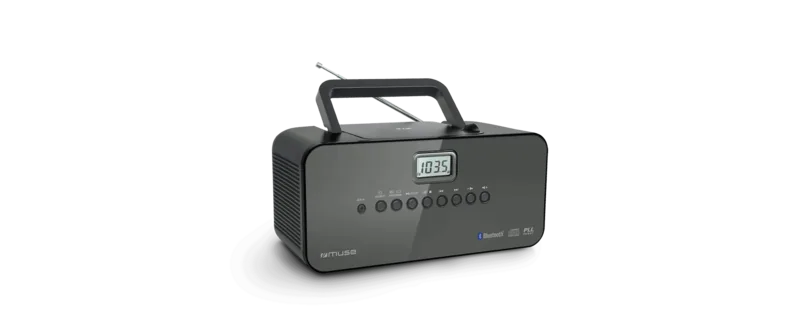
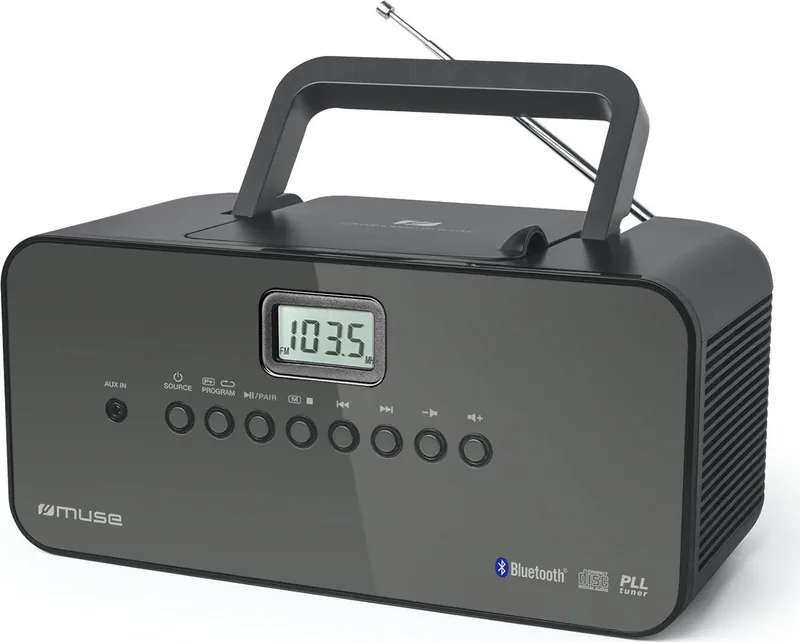
El Muse M-22 es una unidad de audio portátil versátil que combina reproductor de CD, radio FM/AM, transmisión Bluetooth y entrada AUX en un equipo ligero, alimentado por batería o corriente. Con una antena telescópica para FM, una pantalla LCD fácil de leer y altavoces frontales, está dirigido a usuarios que desean una solución de música todo en uno sencilla para el hogar, viajes o uso al aire libre.

El reproductor acepta CDs de audio estándar (listas de reproducción programables de hasta 20 pistas), admite modos de pausa/parada/siguiente y repetición, y avisa de errores de disco por discos sucios o dañados. Las funciones de radio incluyen sintonización manual y automática, preajustes de estación y orientación para optimizar la recepción (extender la antena para FM, girar la unidad para AM). Bluetooth v5.0 ofrece transmisión inalámbrica hasta unos 10 metros en espacio abierto y emparejamiento manual usando el nombre de dispositivo "M-22 BT" (PIN predeterminado 0000 cuando se requiere).

Las opciones de alimentación son flexibles: funciona con corriente alterna (230V~50Hz) o con seis pilas tipo C para uso portátil. Se proporcionan notas y consejos de seguridad sobre las pilas: retirar las pilas cuando la unidad no vaya a usarse durante largos periodos, no mezclar tipos de pilas y evitar exponerlas al calor. La unidad cumple con las directivas europeas pertinentes y lleva advertencias de seguridad estándar sobre humedad, ventilación, óptica láser de clase 1 del CD y instrucciones de eliminación/reciclaje.

Los controles son sencillos: un único botón de fuente/encendido alterna entre FM, AM (MW), CD, Bluetooth y AUX; botones dedicados controlan reproducir/pausa/emparejar, memoria/preajuste, sintonía/saltar, volumen arriba/abajo y programar/guardar para la reproducción de CD. La entrada auxiliar permite conectar fuentes de audio externas mediante un cable para reproducir sonido a través de los altavoces de la unidad.

El mantenimiento es simple: apagar antes de limpiar, usar un paño suave y seco, evitar disolventes y mantener las rejillas libres de polvo. Para el cuidado de los CD, limpiar los discos de centro a borde, evitar medios de forma irregular y retirar los discos antes de transportar la unidad.

Notas:

  • Bluetooth: V5.0, 2.402–2.48 GHz, salida RF 0 dBm, hasta 10 m de alcance en espacio abierto.
  • CD: admite reproducción programada (hasta 20 pistas), modos de repetición y manejo estándar de errores de CD.
  • Alimentación: CA 230V 50Hz o CC 9V mediante 6×1.5V pilas tipo C.

Resumen rápido

  • Radio portátil con CD, transmisión Bluetooth y entrada AUX
  • Controles sencillos, preajustes de estación y programación de CD
  • Doble alimentación: corriente o pilas; mecanismo de CD de clase 1
M: OA-GPT-5-NAN

© Copyright 2026 Manual.ly