Manual.ly Logo

Ksix TrueBuds 3 Manual

0,0 · 0 Valoraciones

Manual en PDF · 19 Páginas

Español

M: QW-35-FL
página

/ 19

Loading...
b1cd6628ba4a539ec125a90dae691a06387d page 1
TRUE BUDS 3
Earphones
User manual
Technical information
Bluetooth version: 5.0
Bluetooth profile: A2DP / AVRCP / HFP
Transmission range: ≈ 10 m
Sensitivity: 104 ± 3 dB
Frequency range: 20 ~ 20 000Hz
Impedance: 32 Ω
Weight: 36 g
Single earbud weight: 3.9 g
Play time: ≈ 3 hours
Standby time: ≈ 300 hours
Charging time for the charging case: ≈ 2 hours
Earbud charging time: ≈ 2 hours
Charging case battery capacity: 320mAh
Earbud battery capacity: 40mAh
Input: 5V – 1A
In the box
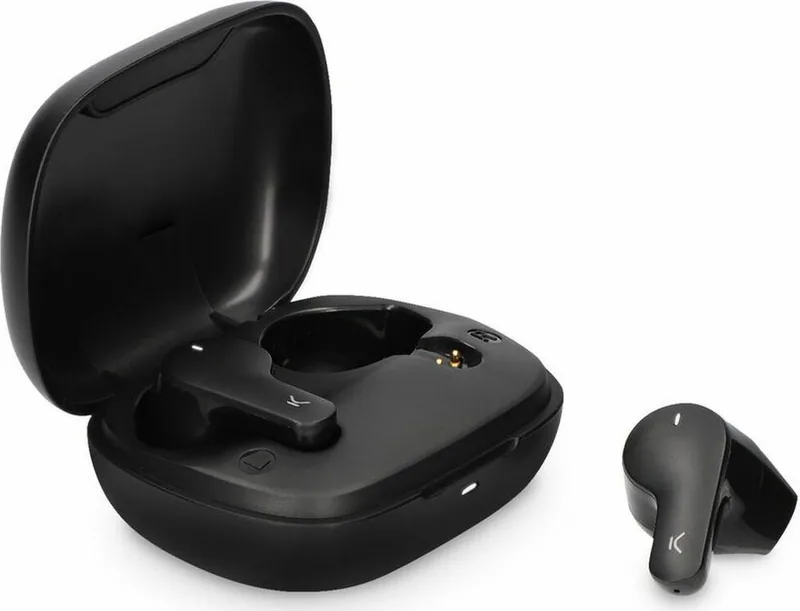
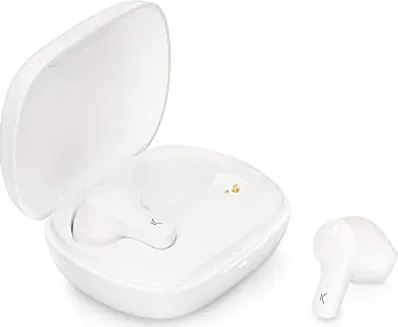
1 x charging case
2 x earphones
1 x type C charging cable
How to connect the earphones
Turning on
The earphones are automatically turned on when the charging case is opened.
If they are out of the charging case, long press the touch surface of both earphones for 3
seconds to turn them on. The red and white indicator lights will flash for 1 second and the
word “Connected” will be heard.
Pairing (first use)
Open the charging case. The indicator light of both earphones will alternately flash red and
white. After 10 seconds, the earphones will pair automatically, and the indicator light will
start flashing red and light slowly. This means they are ready to be paired with the device.
Enable the Bluetooth function on your device, search for a device named TRUEBUDS3 and
select “connect”. Once the connection has been successful, the word “Connected” will be
heard.
If the device Bluetooth version is lower than 3.0, enter the default security code 0000
when the password window pops up
Turning o
Introduce the earphones in the charging case and close the cover to turn them o.
They can also be turned o by holding pressed the touch surface of both earphones for 5
seconds. The red and white indicator lights will flash for 1 second and the word “Powered
o”.
The earphones are turned o automatically after 3 minutes of disconnection from the
device.
How to use
Use the touch surface to change from one song to another and to manage incoming calls.
• Play/Pause: Short press the touch surface of any of the earphones.
• Previous/Next song: Long press the touch surface of the left earphone for 2 seconds to
go back to the previous song. Long press the touch surface of the right earphone for 2
seconds to change to the next song.
• Answer/Hang up a call: When a call comes in, short press the touch surface of any of the
earphones to answer it. Once the call is in process, short press the touch surface of any of
the earphones to hang it up.
• Reject a call: When a call comes in, long press the touch surface of any of the earphones
for 2 seconds to reject it.
• Reset: When both earphones are o, long press the touch surface of both earphones for 8
seconds to reset the pairing information.
• Siri: Short press the touch surface of any of the earphones three times to open Siri.
How to charge
When the earphones have low battery, the indicator light will flash red slowly, and the
phrase “Battery low” will be heard.
Charging the earphones
Introduce both earphones in the charging case and close the cover. Please, check that both
earphones are correctly introduced in the case. The indicator light of the charging light will
turn on, and the indicator lights of both earphones will turn red.
Once the earphones are fully charged, the indicator light will fade. It takes about 2 hours to
charge the earphones completely. A fully charged charging case can be used to charge the
earphones more than 2 times.
Charging the charging case
Please, use a 5V-1A charger. During charging, the charging case indicator light will flash red.
When it is fully charged, the red light will turn into static mode. It takes about 2 hours to
charge the charging case completely.
Maintenance recommendations
• Regularly clean the product with a dry cloth. The product must be disconnected or
switched o when you clean it.
• Keep the connectors and/ or ports free from dust, lint, etc. to prevent improper
connections.
• Avoid breaking the device. Do not put objects over it or bend it too strong.
• If the product includes a cable do not bend it too strong and do not pull from it to unplug
the product.
• Do not wet the product. Keep it always in a dry place, away from humidity.
• When not using the product, store it in a place free from dust, dirt, lint, liquids, etc.
z• If water or other liquids enter the product interior, unplug it immediately from any
attached power source or device it is connected to.
• Avoid dropping or hitting the product. It might be damaged.
• Do not use the product for anything other than its intended use.
• Please recycle the product in accordance with local environmental laws and regulations.
Safety information
Please read the following instructions before using the device for the first time:
• When you use device keep it away from heat sources (fire) and from humidity sources
(water and other liquids).
• If the product is wet or damaged do not us it.
• Do not use the product with wet hands.
• Do not leave the product in contact with flammable materials.
• Do not expose the product to high temperatures (for example: inside a car during hot
weather)
• Do not throw the product into fire.
• Keep the product away from children.
• Disconnect or switch o the product if you are not going to use for a long period of time.
• Do not use the device if you perceive any visible defects.
• Do not attempt to open or puncture the product. You might damage it.
• Do not use the product with incompatible devices.
• Do not dismount or modify the product. These actions will invalidate the Warranty.
Legal Note
Hereby, Atlantis Internacional S.L. declares that this product is in compliance with the
essential requirements and other relevant provisions of Directive 2014/53/EC.
The features and functions described in this manual are based on tests made by Atlantis
Internacional S.L. It is the user’s responsibility to examine and verify the product after its
purchase. Atlantis Internacional S.L. is not responsible and will never be liable for any
personal loss or injury, economical loss, material loss or any damage due to misuse, abuse
or improper installation of the product.
For electronical devices with Bluetooth: Atlantis Internacional S.L. is not responsible and
will never be liable for any function, communication and connection failure between the
product and Bluetooth enabled devices.
Electronic and electrical devices disposal
This symbol indicates that electrical and electronic equipment is to be collected separately.
• This product is designated for separate collection at an appropriate collection point. Do
not dispose of as household waste.
• The final price of this product includes the cost necessary for the correct environmental
management of the generated waste.
• If the equipment uses batteries, they must be removed from the equipment and disposed
in an appropriate collection center. If the batteries cannot be removed, do not
attempt to do it yourself since it must be done by a qualified professional.
• Separate collection and recycling helps conserve natural resources and prevent negative
consequences for human health and the environment that might result from incorrect
disposal.
• For more information, contact the retailer or the local authorities in charge of waste
management.
CE Declaration of Conformity
We hereby declare that the product (s) listed below satisfies the provision for CE-marking
according to the following European directive(s):
EN 55032:2015/A11:2020
EN IEC 61000-3-2:2019
EN 61000-3-3:2013/A1:2019
EN 55035:2017/A11:2020
Article: BXTW03B3 / BXTW03N3
EAN: 8427542122144 / 8427542122151
Features:
dc 3.7V By battery or DC 5V by adapter
Manufacturer:
ATLANTIS INTERNACIONAL, S.L.
Address:
Carrer del Crom, 53, 08907 L'Hospitalet de Llobregat, Barcelona (Spain)
Place and date of the declaration:
L’Hospitalet de Llobregat, February 21, 2022
Nico Broder
General Manager

Chatee con su manual de Ksix TrueBuds 3 usando IA

Obtenga respuestas instantáneas de IA de su manual de Ksix TrueBuds 3

Pregunte lo que quiera sobre Ksix TrueBuds 3. Las respuestas provienen de este manual, con las páginas en las que se basan.

TrueBuds 3 Programa de mantenimiento

Regularmente
Limpie el producto con un paño seco

Asegúrese de que el producto esté desconectado o apagado antes de limpiarlo.

Mostrar en el manual (página 1)
Según sea necesario
Mantenga los conectores y puertos libres de polvo

Elimine el polvo, las pelusas y los restos de los conectores y puertos para evitar conexiones incorrectas.

Mostrar en el manual (página 1)
M: qwen/qwen3.8-flash

Haz una Pregunta

0/1000

¿Recomiendas TrueBuds 3?

Sí No

Preguntas frecuentes

A

Abra el estuche de carga para encenderlos automáticamente. Habilite Bluetooth en su dispositivo, busque TRUEBUDS3 y seleccione conectar. Si se solicita un código en dispositivos por debajo de Bluetooth 3.0, ingrese 0000.

¿Esta respuesta fue útil?

A

Los auriculares ofrecen aproximadamente tres horas de tiempo de reproducción con una sola carga. El estuche de carga proporciona suficiente energía para recargarlos más de dos veces, extendiendo significativamente el uso total.

¿Esta respuesta fue útil?

A

Tanto los auriculares como el estuche de carga requieren aproximadamente dos horas para un ciclo de carga completo usando un adaptador estándar de cinco voltios un amperio. Las luces indicadoras dejarán de parpadear cuando estén completamente cargadas.

¿Esta respuesta fue útil?

A

Sí. Cuando ambos auriculares están apagados, presione mantenido la superficie táctil en ambos simultáneamente durante ocho segundos. Esto restablecerá toda la información de emparejamiento para nuevos intentos de conexión.

¿Esta respuesta fue útil?

A

Sí. Puede activar Siri presionando rápidamente la superficie táctil en cualquiera de los auriculares tres veces. Esto funciona perfectamente con dispositivos compatibles.

¿Esta respuesta fue útil?

A

Si entra líquido en el interior, desconecte inmediatamente de cualquier fuente de alimentación. No lo use si está mojado o dañado. Mantenga los productos en lugares secos para evitar exposición a la humedad.

¿Esta respuesta fue útil?

A

El paquete incluye un estuche de carga, dos auriculares y un cable de carga Tipo C. Verifique todos los elementos al comprar para asegurar la integridad.

¿Esta respuesta fue útil?

M: QW-35-FL

Ventajas y Desventajas

Ventajas

  • La conectividad Bluetooth 5.0 asegura un rango estable de hasta 10 metros para transmisión ininterrumpida.
  • Encendido automático al abrir el estuche simplifica efectivamente el flujo de trabajo de uso diario.
  • Las indicaciones de voz confirman el estado de conexión y los niveles de batería audiblemente durante la operación.
VS

Desventajas

  • El tiempo de reproducción de tres horas requiere carga frecuente para un uso intensivo a lo largo del día.
  • El proceso de carga toma dos horas lo que retrasa la disponibilidad para situaciones de reutilización inmediata.
  • El producto carece de clasificación impermeable especificada por lo que el riesgo de daño por humedad sigue siendo mayor.
M: QW-35-FL

Producto Especificación

Tipo

Auriculares intrauditivos

Factor de forma

Inalámbrico total, Sin gancho

Micrófono

Integrado

Inalámbrico

Bluetooth 5.0

Controles

Control táctil

Duración de la batería

3 horas, 10 horas (con estuche de carga)

Batería

Puerto de carga USB-C, Estuche de carga (320 mAh), Tiempo de carga 2 horas

Rango de frecuencia

20 Hz - 20 kHz

Impedancia

32 Ohmios

Sensibilidad

104 dB

Peso

3,97 g (por unidad), 36,00 g (estuche)

M: QW-35-FL

Producto Descripción

Explorando Características de Ksix TrueBuds 3

Bienvenido al mundo de audio sin fisuras con los Ksix TrueBuds 3. Estos auriculares inalámbricos redefinen la comodidad para usuarios que buscan alto rendimiento sin complejidad. Diseñados con tecnología de vanguardia, presentan Bluetooth versión 5.0 para conexiones estables de hasta diez metros. Ya sea que esté conmutando o haciendo ejercicio, el rango de transmisión asegura que su música permanezca ininterrumpida. La interfaz de usuario depende en gran medida de superficies táctiles intuitivas. Puede gestionar la reproducción, contestar llamadas y activar asistentes de voz directamente desde los auriculares. Esta funcionalidad se detalla exhaustivamente dentro del Manual de Ksix TrueBuds 3, asegurando que cada característica se utilice correctamente. Las presiones cortas alternan funciones de reproducción y pausa sin problemas. Las presiones largas navegan por las pistas hacia adelante o hacia atrás de manera eficiente. Las llamadas se pueden contestar tocando una vez o rechazando manteniendo durante una duración.

Calidad de Sonido y Especificaciones de Diseño

La calidad de audio sigue siendo una prioridad para los consumidores modernos. Con un rango de frecuencia de veinte a veinte mil hercios y sensibilidad de cien cuatro decibelios, la claridad está asegurada. La impedancia se sitúa en treinta y dos ohmios, proporcionando perfiles sonoros equilibrados adecuados para varios géneros. El peso también se considera durante el diseño. Cada auricular individual pesa solo tres punto nueve gramos, haciéndolos cómodos para sesiones de uso prolongado. El peso total incluyendo el estuche es treinta y seis gramos, cabiendo fácilmente en bolsillos. El tiempo de espera alcanza aproximadamente trescientas horas cuando se almacenan adecuadamente en la caja.

Gestión de Energía y Detalles de Carga

La gestión de batería es crítica para el uso diario. El tiempo de reproducción dura aproximadamente tres horas con una sola carga. Esto podría parecer corto para los audiófilos, pero el estuche de carga extiende la utilidad significativamente. Almacena dos cargas completas, permitiendo más de seis horas de escucha antes de necesitar enchufar el propio estuche. La carga toma aproximadamente dos horas tanto para los auriculares como para el estuche usando un adaptador de cinco voltios un amperio. Los mensajes de voz como Conectado o Apagado proporcionan confirmación de cambios de estado automáticamente. Las advertencias de batería baja alertan a los usuarios mediante luces intermitentes y frases habladas. Mantener los conectores libres de polvo previene conexiones incorrectas con el tiempo.

Instrucciones de Uso y Consejos de Mantenimiento

La configuración de conectividad implica abrir el estuche donde los indicadores parpadean rojo y blanco. La asociación busca un dispositivo llamado TRUEBUDS3 en su teléfono. Los códigos de seguridad pueden ser necesarios para versiones de Bluetooth anteriores a tres punto cero. El mantenimiento requiere mantener el producto seco y limpio con un paño seco. Evite la exposición a fuentes de calor o líquidos para prevenir daños. Almacene siempre lejos de la humedad cuando no esté en uso. El cable Tipo C incluido simplifica la logística de carga. Las pautas de seguridad aconsejan contra perforar o modificar la unidad para mantener la validez de la garantía. También se enfatiza la eliminación ambiental para reducir el impacto de residuos electrónicos. Finalmente, el fabricante declara cumplimiento con las directivas europeas respecto a la compatibilidad electromagnética. Experimente audio confiable con estos auriculares bien equipados hoy. Recuerde verificar la guía regularmente para programas óptimos de mantenimiento y pasos de solución de problemas para asegurar la longevidad de sus componentes de hardware.

M: QW-35-FL

© Copyright 2026 Manual.ly