
JBL Aquaristic ProFlora CO2 Control Manual
Manual en PDF · 81 Páginas
Español



Verificación rápida
Respuesta incorrecta, inténtalo de nuevo.
Chatee con su manual de JBL Aquaristic ProFlora CO2 Control usando IA
Obtenga respuestas instantáneas de IA de su manual de JBL Aquaristic ProFlora CO2 Control
Pregunte lo que quiera sobre JBL Aquaristic ProFlora CO2 Control. Las respuestas provienen de este manual, con las páginas en las que se basan.
ProFlora CO2 Control Programa de mantenimiento
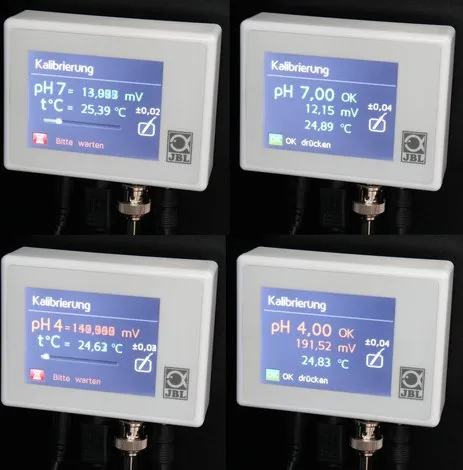
Realice una calibración de dos puntos utilizando soluciones tampón de pH 7,00 y luego de pH 4,00. El dispositivo recomienda intervalos de 30, 45 o 60 días, siendo 30 días el valor predeterminado de fábrica.
Elimine la suciedad de la punta del sensor de vidrio presionándola suavemente con un paño suave. Nunca frote con fuerza para evitar dañar la punta sensible.
Compruebe regularmente que el sensor esté completamente sumergido en el agua. Si se extrae o si el nivel del agua baja, las mediciones serán incorrectas y los peces podrían estar en peligro.
Recordatorios de mantenimiento gratuitos
Según la fecha de compra. Siempre gratis, cancela la suscripción cuando quieras.
Haz una Pregunta
¿Recomiendas ProFlora CO2 Control?
Sí NoPreguntas frecuentes
El dispositivo recomienda calibración cada treinta días para mantener alta precisión. El temporizador se reinicia tras la finalización exitosa. La calibración frecuente compensa los procesos naturales de envejecimiento del sensor.
¿Esta respuesta fue útil?
Auto pH calcula el punto de ajuste de pH óptimo basado en la entrada de dureza carbonatada. Usa un valor estándar de CO2 de 22.5 mg/l para determinar objetivos seguros para plantas y peces.
¿Esta respuesta fue útil?
No, el sensor de pH se vende por separado como parte de un kit dedicado. Los compradores deben adquirir el SET DE SENSOR DE pH CO2 PROFLORA JBL independientemente para funcionalidad completa.
¿Esta respuesta fue útil?
Sí, puede usarse con reactores de calcio en aplicaciones de agua marina. Monitorea el pH dentro del reactor para regular el dosificado de CO2 para disolución efectiva de cal.
¿Esta respuesta fue útil?
Puede habilitar bloqueo de teclado vía el menú de configuración. Ingresa una contraseña de cuatro dígitos o usa la contraseña maestra 7442 para desbloquear la interfaz después de bloquearla.
¿Esta respuesta fue útil?
Las alarmas predeterminadas se activan si el pH desvía más o menos 1.00 o la temperatura va fuera de 20 a 30 grados Celsius. Estos límites son ajustables a través del menú.
¿Esta respuesta fue útil?
Ventajas y Desventajas
Ventajas

- Regulación automática de pH basada en dureza carbonatada ingresada reduce el esfuerzo manual significativamente.
- Pantalla táctil colorida permite navegación intuitiva de menú y monitoreo de estado fácilmente.
- Operación de bajo voltaje asegura máxima seguridad del usuario durante instalación y uso diario.
- Soporte multiidioma incluye nueve opciones atendiendo diversos mercados internacionales globalmente.
- Sistema de alarma integral notifica a los propietarios de desviaciones críticas a través de señales visuales y auditivas.
Desventajas

- Sensor de pH debe comprarse por separado lo cual agrega costo inicial a la configuración.
- Calibración regular cada 30 días es requerida para mantener precisión de medición consistentemente.
- Los sensores degradan con el tiempo requiriendo reemplazo típicamente cada dos años de uso.
- Instalación manual de riel y sensores requiere conocimiento técnico básico y herramientas.
- Interrupciones de corte de energía reinician temporizadores de calibración llevando a problemas de seguimiento temporales.
Producto Especificación
Categoría
Tratamiento de agua, Parámetros del agua
Tipo
Controlador para Regulador de CO2 con Válvula Solenoide (Conexión BNC para Electrodo de pH, Termómetro, Pantalla Táctil)
Aplicación
Agua dulce, Acuario
Dimensiones
8,89 x 6,71 x 2,49 cm (Ancho x Alto x Prof)
Peso
0,46 kg
Producto Descripción
Visión general del manual de JBL Pro Flora CO2 Control
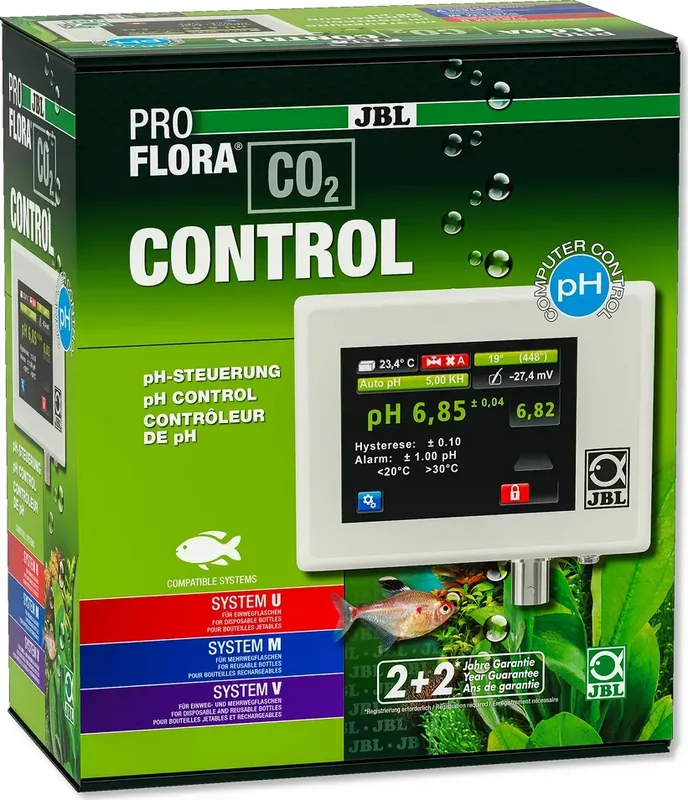
Mantener un entorno de acuario saludable requiere monitoreo preciso de niveles de dióxido de carbono para apoyar la vegetación acuática. El sistema JBL PROFLORA CO2 CONTROL ofrece una solución sofisticada para tanques plantados de agua dulce a nivel global. Cuando consulte el manual detallado de JBL Pro Flora CO2 Control, descubre un dispositivo diseñado para automatizar condiciones de crecimiento de plantas de manera efectiva. Esta unidad digital de medición y control monitorea pH y temperatura continuamente usando sensores avanzados. Regula el suministro de CO2 para asegurar que las plantas prosperen mientras mantiene a los peces completamente seguros de picos de gas nocivos. La instalación es sencilla cuando se sigue cuidadosamente la guía proporcionada por el fabricante. Monte el riel cerca del acuario y conecte los sensores de forma segura a los puertos. El dispositivo cuenta con una pantalla táctil colorida para una fácil navegación a través de varios menús. Puede elegir entre nueve idiomas incluyendo Inglés y Alemán para conveniencia del usuario. Esto garantiza rendimiento consistente para todos los usuarios independientemente del nivel de experiencia.
Características y Funcionalidades Clave
Una característica destacada es la función Auto pH que simplifica cálculos complejos. Al ingresar su valor de dureza carbonatada, el dispositivo calcula el objetivo de pH óptimo automáticamente basado en algoritmos internos. Esto previene fluctuaciones peligrosas que podrían dañar la vida acuática significativamente con el tiempo. El manual destaca protocolos de seguridad extensamente a lo largo de sus páginas sobre seguridad eléctrica. Operar con bajo voltaje asegura protección del usuario contra riesgos eléctricos potenciales durante el mantenimiento. Incluye funciones de alarma para desviaciones de pH y temperatura que son totalmente configurables por el propietario. Si los niveles se salen de los límites establecidos, alertas visuales y auditivas notifican al propietario inmediatamente a través de símbolos parpadeantes.
Mantenimiento y Cuidado
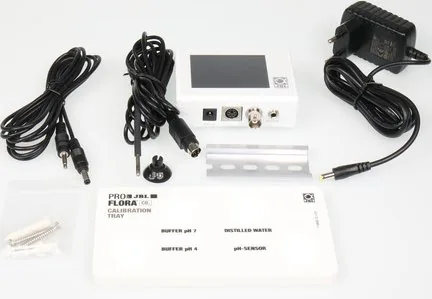
La calibración es esencial para precisión y fiabilidad a lo largo del tiempo dentro del ecosistema. El dispositivo guía a los usuarios a través de un proceso de calibración de dos puntos usando soluciones tampón proporcionadas de forma segura. Recuerde que el sensor de pH se vende por separado y debe ser reemplazado periódicamente ya que envejece con el tiempo consistentemente. La vida útil promedio es aproximadamente veinticuatro meses dependiendo de las rutinas de cuidado específicas tomadas. Los ajustes permiten personalización de histéresis y modos de operación de válvula para necesidades específicas. Los usuarios pueden bloquear la interfaz para evitar cambios accidentales a través de un sistema de contraseña de cuatro dígitos. El mantenimiento implica limpiar la superficie suavemente con un paño húmedo evitando la inmersión. Ya sea que administre un tanque plantado exuberante o experimente con paisajismo acuático este equipo proporciona un rendimiento confiable consistentemente. El sistema funciona con válvulas solenoide externas específicamente diseñadas para esta aplicación perfectamente. Atenerse a las instrucciones encontradas en la documentación asegura durabilidad y precisión para muchos años. Este enfoque integral ayuda a los aficionados a lograr un crecimiento de plantas vibrante sin intervención manual constante requerida diariamente. La tecnología cierra la brecha entre contadores de burbujas simples y sistemas de automatización profesional encontrados en grandes instalaciones. Además admite uso en reactores de calcificación para aplicaciones de agua marina eficientemente permitiendo la liberación de carbonato.
Buscar: 67.706 Manuales en línea


Escribe la marca o modelo