
Hama TV Ceiling Mount Manual
Manual en PDF · 30 Páginas
Español



Verificación rápida
Respuesta incorrecta, inténtalo de nuevo.
Chatee con su manual de Hama TV Ceiling Mount usando IA
Obtenga respuestas instantáneas de IA de su manual de Hama TV Ceiling Mount
Pregunte lo que quiera sobre Hama TV Ceiling Mount. Las respuestas provienen de este manual, con las páginas en las que se basan.
TV Ceiling Mount Programa de mantenimiento
Compruebe regularmente que el soporte esté firmemente fijado y sea seguro de usar. Asegúrese de no exceder la capacidad máxima de carga y de que la carga sea simétrica.
Utilice solo agua o limpiadores domésticos estándar para limpiar el producto.
Recordatorios de mantenimiento gratuitos
Según la fecha de compra. Siempre gratis, cancela la suscripción cuando quieras.
Haz una Pregunta
¿Recomiendas TV Ceiling Mount?
Sí NoPreguntas frecuentes
Los tacos provistos están aprobados solo para paredes de hormigón y ladrillo sólido. Si tiene tabiquería seca u otros materiales, debe comprar materiales de montaje adecuados en un vendedor especializado.
¿Esta respuesta fue útil?
El soporte soporta una capacidad de carga máxima de 40 kg. No exceda este límite ni adjunte cargas que superen las dimensiones máximas permitidas.
¿Esta respuesta fue útil?
Sí, se requieren herramientas específicas. El texto menciona herramientas requeridas pero especifica que debe usar las piezas del kit incluido y asegurar que los tornillos tengan la longitud adecuada.
¿Esta respuesta fue útil?
Debe verificar que el producto esté lo suficientemente seguro en intervalos regulares, al menos cada tres meses. Esto asegura seguridad y estabilidad.
¿Esta respuesta fue útil?
No, el producto está destinado solo para uso dentro de edificios. Está diseñado para uso doméstico privado no comercial en interiores solamente.
¿Esta respuesta fue útil?
El soporte sigue el estándar VESA 400x400. Otros patrones VESA mencionados incluyen 400x300, 400x200 y 300x300 para configuraciones diferentes.
¿Esta respuesta fue útil?
Hama no asume responsabilidad por daños resultantes de instalación incorrecta, mal uso o fallo al observar las instrucciones de operación.
¿Esta respuesta fue útil?
Ventajas y Desventajas
Ventajas

- Soporta pantallas grandes hasta 165 cm
- Alta capacidad de peso de 40 kg
- Permite rango de giro de 100 grados
- Compatible con estándar VESA 400x400
- Incluye kit de instalación integral
Desventajas

- Requiere dos personas para la instalación
- Los tacos solo funcionan en hormigón o ladrillo
- Responsabilidad excluida por mal uso
- Necesita revisiones de seguridad regulares cada tres meses
- Sin garantía por daños de instalación
Producto Especificación
Tipo
Montaje en pared
Cantidad de monitores
1
Tamaño de pantalla
32-65"
Movilidad
rotación (100 grados), ajustable en altura
Distancia a la pared
60,00-69,39 cm
Capacidad de carga
40,00 kg
VESA
75x75, 100x100, 200x100, 200x200, 200x300, 300x200, 300x300, 300x400, 400x200, 400x300, 400x400
Color
Negro
Producto Descripción
Guía Completa para el Soporte de Techo Hama para Televisor
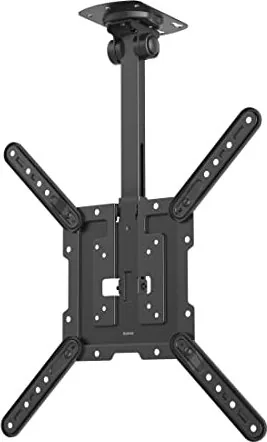
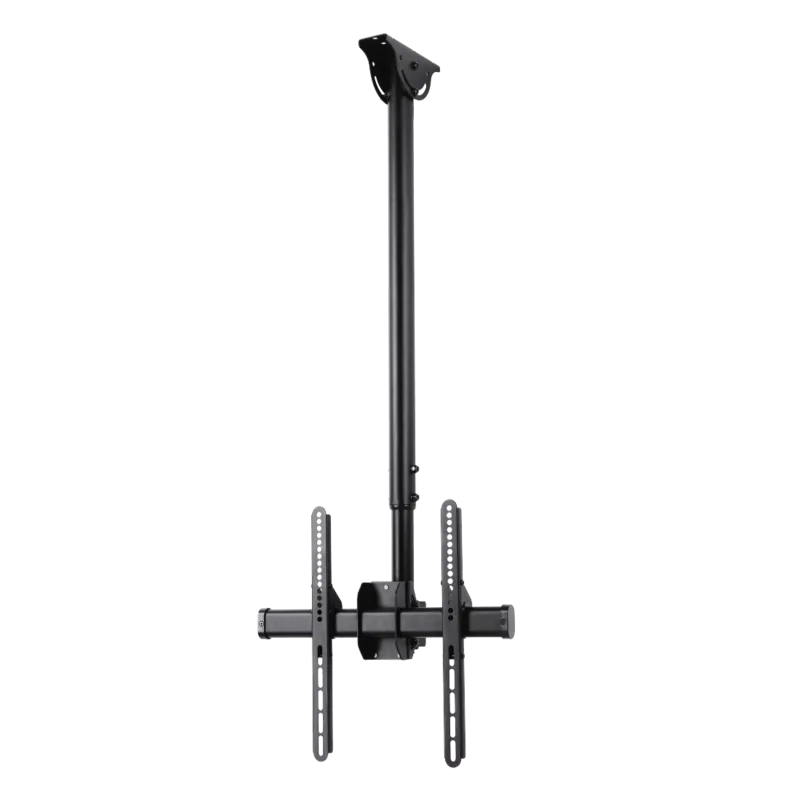
Transforme su experiencia de visión utilizando el espacio vertical de manera efectiva. El Soporte de Techo Hama para Televisor proporciona una solución elegante para asegurar pantallas planas sobre su cabeza. Cuando consulta el Manual del Soporte de Techo Hama para Televisor, obtiene acceso a pasos detallados para un montaje seguro. Este soporte se adapta a pantallas entre 81 y 165 cm de tamaño. Es perfecto para salas de estar o áreas de entretenimiento donde el montaje en pared no es una opción. La unidad cuenta con un rango de giro de 100 grados para que encuentre el ángulo de visión perfecto.
Especificaciones Técnicas
Este soporte está construido para durabilidad y resistencia. Soporta una carga máxima de 40 kg. La placa de montaje sigue el estándar VESA 400x400. La instalación requiere el kit provisto que incluye varios tornillos y tacos. Asegúrese de que su estructura de pared sea adecuada para el peso antes de comenzar. Debe verificar que no haya líneas eléctricas ocultas dentro de la zona de montaje. Los tacos provistos funcionan estrictamente con superficies de hormigón y ladrillo sólido. Si sus paredes son diferentes, debe adquirir materiales de montaje especializados en otro lugar. Se recomienda guardar las piezas sobrantes para futuros cambios o actualizaciones.
Protocolos de Seguridad
Instalar este producto requiere cuidado. Nunca debe aplicar una fuerza excesiva durante el proceso. Se aconseja tener una segunda persona que asista con el montaje. Nunca instale la unidad sobre lugares donde las personas puedan estar paradas o sentadas. Una vez montado, verifique la estabilidad de la carga regularmente. Realice estas verificaciones al menos cada tres meses para asegurar la seguridad. No exceda la capacidad de carga máxima permitida. Mantenga la distancia de seguridad necesaria alrededor del dispositivo adherido. Si nota cualquier daño, retire la carga inmediatamente. Deje de usar hasta que el producto sea reparado o reemplazado. Asegúrese de que el producto no exceda su capacidad de carga máxima permitida y no se adjunte una carga que exceda las dimensiones máximas permitidas.
Ajuste y Mantenimiento
Ajustar la altura requiere aflojar los tornillos de sujeción laterales. Fije la altura requerida y asegure los tornillos firmemente de nuevo. Use solo agua o limpiadores domésticos estándar para la limpieza. El mantenimiento regular garantiza estabilidad a largo plazo. El fabricante excluye responsabilidad por daños causados por instalación incorrecta. Siempre siga las instrucciones de operación completamente. Guardar el manual de forma segura es vital para reclamaciones de garantía o resolución de problemas.
Notas de Resumen
Este producto es solo para uso doméstico no comercial de interior. Lea todas las secciones del libro de instrucciones cuidadosamente. Una instalación adecuada garantiza la seguridad de usted y su televisor. Disfrute de los beneficios de una habitación sin desorden con este soporte. Siempre siga las instrucciones para mantener el estado de garantía. Esto asegura que disfrute de su compra por años sin problemas. Su seguridad es nuestra prioridad durante y después de la instalación.
Buscar: 67.732 Manuales en línea


Escribe la marca o modelo