
Hama Fullmotion Table Stand Manual
Manual en PDF · 28 Páginas
Español



Verificación rápida
Respuesta incorrecta, inténtalo de nuevo.
Chatee con su manual de Hama Fullmotion Table Stand usando IA
Obtenga respuestas instantáneas de IA de su manual de Hama Fullmotion Table Stand
Pregunte lo que quiera sobre Hama Fullmotion Table Stand. Las respuestas provienen de este manual, con las páginas en las que se basan.
Fullmotion Programa de mantenimiento
Repita la comprobación en intervalos regulares para garantizar que el soporte de TV sea suficientemente seguro y estable para su uso.
Use solo agua o limpiadores domésticos estándar para la limpieza. No use otras sustancias.
Recordatorios de mantenimiento gratuitos
Según la fecha de compra. Siempre gratis, cancela la suscripción cuando quieras.
Haz una Pregunta
¿Recomiendas Fullmotion?
Sí NoPreguntas frecuentes
La unidad soporta pantallas de panel plano que miden entre 81 y 165 centímetros en diagonal. Esto cubre pantallas de 32 a 65 pulgadas. Adhiere a estándares VESA hasta 600x400.
¿Esta respuesta fue útil?
La capacidad de carga máxima es de 40 kg. No exceda este límite de peso o el tamaño diagonal máximo especificado para garantizar la seguridad y evitar volcaduras.
¿Esta respuesta fue útil?
No, debe montar el soporte con la ayuda de una segunda persona. Nunca intente la instalación solo debido al peso y los riesgos de seguridad involucrados.
¿Esta respuesta fue útil?
Revisiones regulares son requeridas al menos cada tres meses. Debe verificar que el producto y el dispositivo adjunto estén posicionados de forma segura.
¿Esta respuesta fue útil?
No, el producto está destinado exclusivamente para uso en interiores. No lo exponga a elementos exteriores o condiciones climáticas.
¿Esta respuesta fue útil?
Si la función de rotación está rígida, afloje la tuerca en la bisagra ligeramente. Debe usar agua o limpiadores estándar para mantenimiento, no químicos agresivos.
¿Esta respuesta fue útil?
No. No modifique el producto de ninguna manera. El uso indebido o la instalación invalidan la garantía y la responsabilidad.
¿Esta respuesta fue útil?
Ventajas y Desventajas
Ventajas

- Gran soporte VESA hasta 600x400 para varios TVs.
- Alta capacidad de carga de 40kg para pantallas pesadas.
- Gira 60 grados para ángulos de visualización óptimos.
- Acabado negro resistente coincide con muchos estilos de decoro.
- Incluye kit de instalación integral para ensamblaje.
Desventajas

- Uso exclusivo en interiores, no resistente al clima.
- Instalación obligatoria por dos personas requerida.
- Las inspecciones de seguridad deben ocurrir cada tres meses.
- Los pies pueden dejar marcas de presión en el piso.
- Huella de base es de 42x33 cm que es considerable.
Producto Especificación
Tipo
Escritorio
Número de Monitores
1
Tamaño de Pantalla
81,28-165,10 cm
Movilidad
Giratorio (60 grados), Ajustable en Altura
Carga Máxima
40,00 kg
VESA
200x200, 200x300, 300x100, 300x200, 300x300, 300x400, 400x200, 400x300, 400x400, 600x200, 600x300, 600x400
Estantes
0
Características
Gestión de Cables
Color
Negro
Dimensiones (Ancho x Alto x Profundidad)
64,29 x 81,79 x 32,99 cm
Producto Descripción
Experimente Entretenimiento Fluido con el Manual del Soporte de TV Hama Fullmotion Black
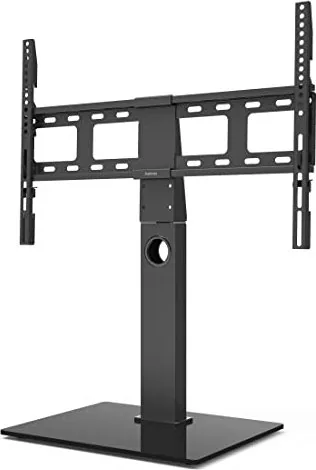
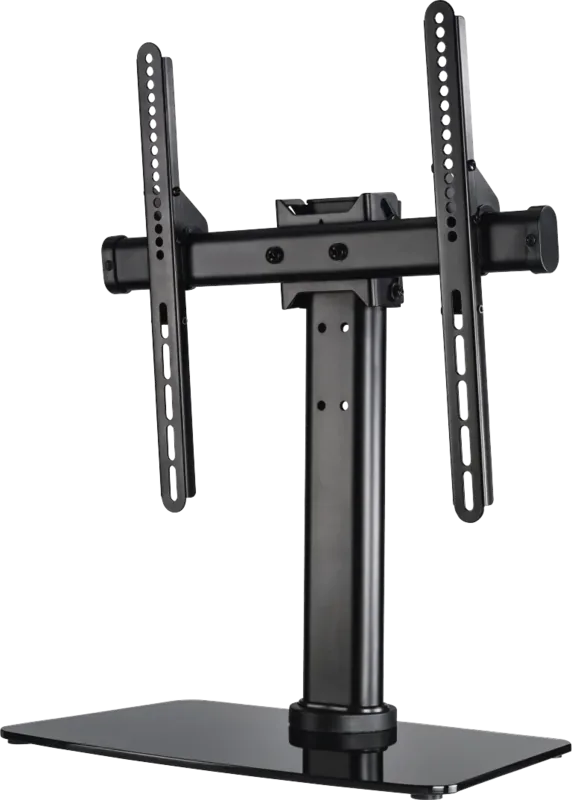
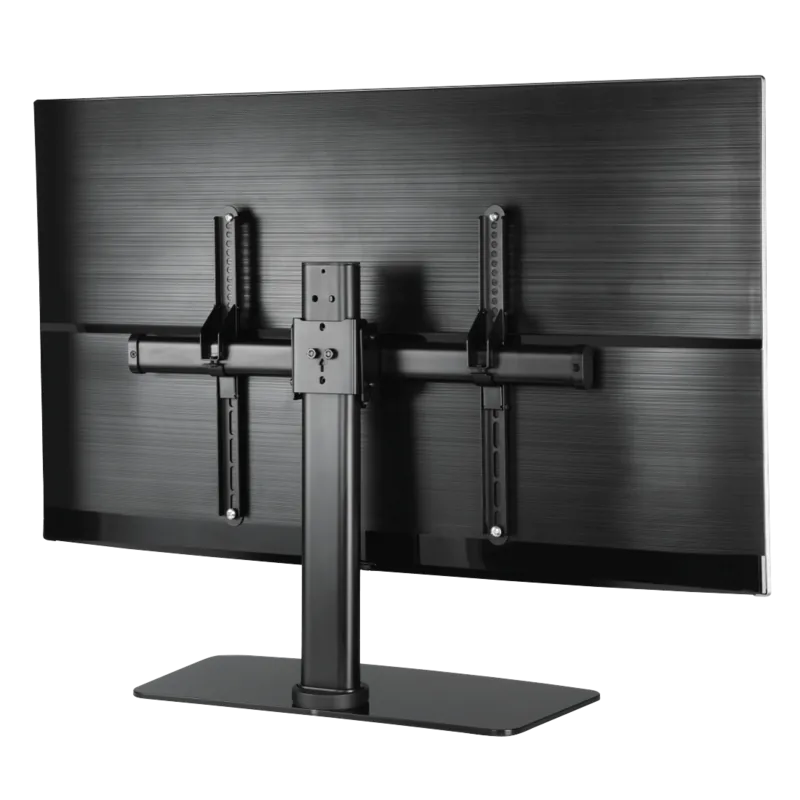
¿Está buscando una manera confiable para asegurar su televisor grande? El Manual del Soporte de TV Hama Fullmotion Black proporciona una excelente solución para salas de estar modernas. Este producto está diseñado específicamente para uso doméstico privado no comercial. Soporta pantallas de panel plano que miden entre 81 y 165 centímetros en diagonal. Ya sea que posea una pantalla de 32 o 65 pulgadas, esta unidad ajusta varios modelos. Garantiza que su experiencia de visualización esté personalizada a su comodidad.
Especificaciones Técnicas Críticas
La columna de montaje acepta patrones VESA hasta 600x400. Puede colocar dispositivos pesados con una capacidad de carga máxima de 40 kg. La estructura permite orientar hasta 60 grados para ángulos de visualización óptimos. La placa base mide 42 por 33 cm para garantizar una huella estable. La altura en el centro de la placa se encuentra a 55.4 cm. Estas medidas garantizan la compatibilidad con la mayoría de los equipos domésticos estándar. Funciona tanto para traseros de TV planos como curvos usando separadores.
Orientación Esencial de Instalación
La configuración adecuada es crucial para la seguridad a largo plazo. Debe montar el soporte con la ayuda de una segunda persona. Nunca intente la instalación solo debido al peso. Asegúrese de que no se aplasten los cables eléctricos durante el proceso. Verifique que el soporte se asiente plano en la parte trasera del televisor. Use los separadores proporcionados si la parte trasera es irregular. Proceda paso a paso a través de las instrucciones ilustradas. Siempre asegure el elemento de sujeción F2 para bloquear el soporte.
Advertencia: Solo ajuste el soporte con una segunda persona presente. Advertencia: No coloque cargas más pesadas que la capacidad especificada.
Mantenimiento y Durabilidad
Las revisiones regulares son requeridas al menos cada tres meses. Verifique que el producto esté suficientemente seguro. Si la función de rotación se vuelve rígida, afloje la tuerca en la bisagra ligeramente. Limpie la unidad con agua o limpiadores domésticos estándar. No use químicos agresivos que podrían dañar el acabado. Inspeccione los tornillos y asegúrese de que estén apretados a mano.
Notas Importantes de Garantía y Seguridad
No modifique el producto de ninguna manera. El uso indebido invalida la garantía. Mantenga el material de embalaje fuera del alcance de los niños. Asegúrese de que la superficie esté nivelada y antideslizante. Verifique la seguridad operacional general regularmente. Si ocurre daño, retire la carga adjunta inmediatamente. Deshágase del embalaje según las regulaciones locales. Los pies pueden dejar marcas de presión dependiendo de la estabilidad de la superficie. Si vende el dispositivo, pase las instrucciones al nuevo propietario.
Uso Ambiental
Este producto está destinado exclusivamente para uso en interiores. No lo exponga a elementos exteriores. Está diseñado para superficies estables que puedan soportar el peso del producto y del dispositivo. Asegúrese de que la carga esté balanceada simétricamente para evitar volcaduras. Verifique regularmente que el producto y el dispositivo adjunto estén posicionados de forma segura.
Al seguir estas directrices del Manual del Soporte de TV Hama Fullmotion Black, usted garantiza seguridad y rendimiento. Disfrute de su configuración de cine en casa con tranquilidad sabiendo que su equipo está seguro. Siempre refiérase a las instrucciones específicas para su región. Esto asegura el cumplimiento con los estándares de seguridad locales. Hama GmbH no acepta responsabilidad por instalación inadecuada.
Buscar: 67.732 Manuales en línea


Escribe la marca o modelo