
Cameo AURO SPOT Z 300 Manual
Manual en PDF · 94 Páginas
Español



Verificación rápida
Respuesta incorrecta, inténtalo de nuevo.
Chatee con su manual de Cameo AURO SPOT Z 300 usando IA
Obtenga respuestas instantáneas de IA de su manual de Cameo AURO SPOT Z 300
Pregunte lo que quiera sobre Cameo AURO SPOT Z 300. Las respuestas provienen de este manual, con las páginas en las que se basan.
AURO SPOT Z 300 Programa de mantenimiento
Esperar al menos 10 minutos después de la operación antes de tocar o transportar el dispositivo para permitir su enfriamiento.
Utilizar un paño seco para limpiar. No abrir la unidad ni modificarla.
El personal cualificado debe realizar servicios o limpiezas periódicas en la unidad según las condiciones ambientales como polvo, nicotina o niebla para evitar el sobrecalentamiento.
Haz una Pregunta
¿Recomiendas AURO SPOT Z 300?
Sí NoPreguntas frecuentes
Admite control DMX-512 en dos modos (17 y 20 canales). También ofrece operación Maestro/Esclavo y funciones autónomas como programas automáticos y macros de usuario estáticas. El menú integrado permite configurar directamente la dirección DMX y el modo de operación.
¿Esta respuesta fue útil?
Usa el botón MODE para abrir el menú de opciones, luego selecciona 'System Settings' (Ajustes del sistema) y la opción 'DMX Address' (Dirección DMX). Los dígitos de la dirección de inicio se pueden ajustar con las teclas de flecha y luego confirmar con ENTER. Pulsa MODE para volver a la pantalla principal.
¿Esta respuesta fue útil?
Cuando se interrumpe el DMX, la pantalla indica la pérdida de DMX y cambia su color de fondo. El proyector se puede configurar para el comportamiento ante fallos de DMX, como mantener el último comando o activar el apagón, según la configuración del sistema seleccionada.
¿Esta respuesta fue útil?
Sí. El modo estático te permite configurar directamente los parámetros de pan/tilt, color, gobos, estrobo, zoom, enfoque, frost y prisma utilizando los controles del proyector. Hay cuatro macros de usuario disponibles para que puedas guardar y recuperar configuraciones favoritas para looks rápidos y repetibles.
¿Esta respuesta fue útil?
Sí. El foco cumple con el estándar RDM, lo que permite que un controlador compatible con RDM solicite el estado y configure los puntos finales RDM compatibles. Esto es útil para la monitorización y gestión en configuraciones más grandes.
¿Esta respuesta fue útil?
Los dispositivos DMX se conectan en serie utilizando DMX IN y DMX OUT. Mantén los cables de conexión lo más cortos posible para una mejor fiabilidad de transmisión. Además, el último dispositivo de la cadena debe estar equipado con un terminador para reducir errores.
¿Esta respuesta fue útil?
Ventajas y Desventajas
Ventajas

- Foco móvil LED de 200 W con zoom, enfoque y filtro frost para looks versátiles
- Rueda de color, 2 ruedas de gobos y 2 prismas permiten efectos creativos y en capas
- Control DMX con modos de 17 y 20 canales, además de programas Maestro/Esclavo y autónomos
- El modo estático y 4 macros de usuario permiten la creación de escenas sin un controlador externo
- El soporte RDM permite solicitudes de estado y configuración remota con controladores compatibles con RDM
Desventajas

- Las tablas de canales estándar y la operación dependen de un direccionamiento DMX y prácticas de cableado adecuadas
- Los resultados autónomos y de macros dependen de una cuidadosa configuración del menú en el proyector por parte del usuario
- Los requisitos de seguridad incluyen el uso solo en interiores y manipulación profesional para instalaciones en altura
Producto Especificación
Patron de haz
Puntual
Fuente de luz
LED
Consumo de energia
200 W
Angulo de haz
10-25°
Angulo PAN
540°
Angulo TILT
270°
Mezcla de color
LED (RGBW)
Efectos
Regulador de intensidad, Estroboscopio
Control
DMX (20 canales), Maestro/Esclavo
Dimensiones
282x469x186 mm (Ancho x Alto x Profundidad)
Peso
11,20 kg
Producto Descripción
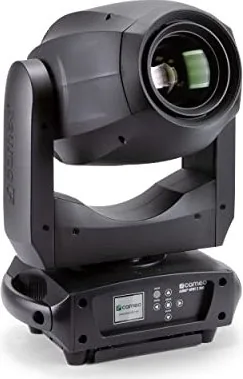
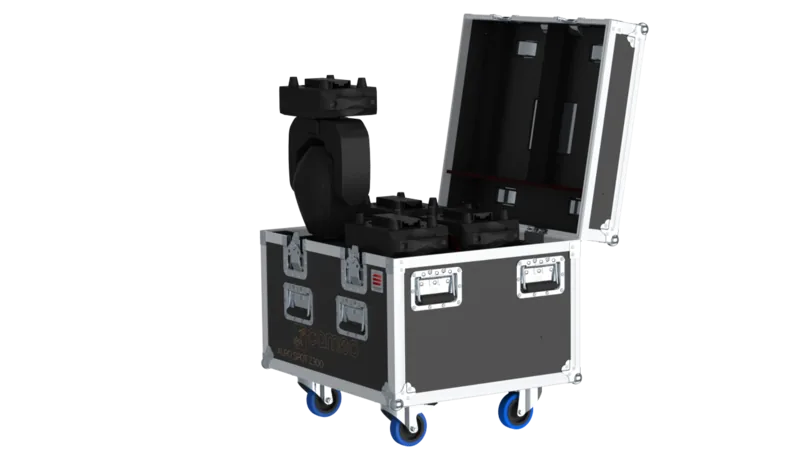
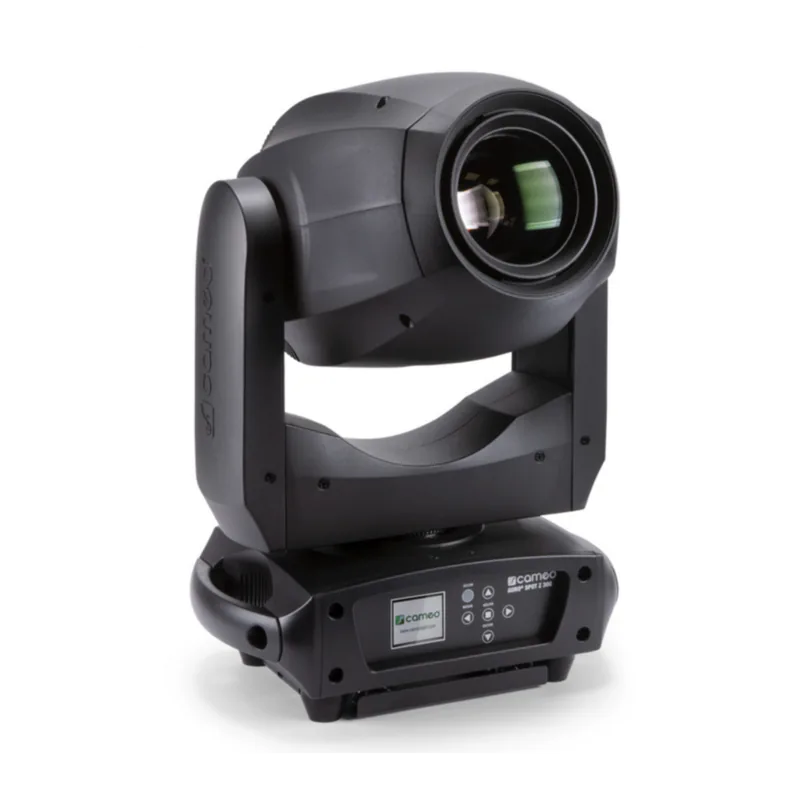
Cameo AURO SPOT Z 300 - Foco móvil LED zoom potente para escenarios y eventos
El Cameo AURO SPOT Z 300 es un foco móvil LED profesional diseñado para un rendimiento fiable y duradero en la iluminación de eventos. Construido alrededor de un motor LED de 200 W, ofrece un haz nítido y dinámico con control de zoom, enfoque y un aspecto atmosférico gracias a un filtro frost. Con una rueda de color y dos ruedas de gobos, además de dos prismas, el foco admite looks versátiles que van desde gobos nítidos hasta efectos superpuestos y brillantes.
El control es flexible y fácil de usar en producción. Puedes operarlo a través de DMX usando DMX-512 en dos modos de canal, de 17 o 20 canales. Para flujos de trabajo en vivo, también admite la operación Maestro/Esclavo y programas autónomos. Si quieres empezar rápidamente en el lugar, la pantalla incorporada y los ajustes con batería te permiten configurar las opciones del sistema incluso cuando la unidad no está conectada a la corriente, lo que hace que la configuración sea más rápida y eficiente.
La experiencia operativa se guía por una lógica de menú clara: puedes establecer la dirección de inicio DMX, seleccionar el modo de operación y ajustar comportamientos clave como curvas de atenuación, inversión de pan/tilt y frecuencia PWM del LED. La unidad también cuenta con opciones de comportamiento ante fallos de DMX (mantener el último comando o apagón), una corrección de posición automática opcional y herramientas de reinicio del motor y prueba de funciones. Cuando se interrumpe el DMX, la pantalla puede indicar claramente el estado, ayudando a los operadores a solucionar problemas en tiempo real.
Para el diseño de efectos, el modo Estático es especialmente útil. Te permite crear escenas personalizadas directamente en el proyector asignando valores para el movimiento de pan/tilt, atenuador, comportamiento estroboscópico, selecciones de color y gobo, zoom, enfoque, intensidad de frost y ajustes de prisma. Cuatro macros de usuario ayudan a almacenar y reutilizar configuraciones favoritas, para que puedas reproducir looks de manera consistente sin un controlador externo.
Finalmente, el Cameo AURO SPOT Z 300 cumple con el estándar RDM (Remote Device Management), lo que permite a los controladores compatibles con RDM solicitar el estado y configurar los puntos finales compatibles. El resultado es un foco que se adapta tanto a instalaciones fijas como a equipos de gira, ofreciendo una salida potente, una rica variedad de efectos y características de control prácticas.
Resultados clave que puedes esperar
- Salida LED de alto impacto de 200 W con zoom, enfoque, filtro frost y efectos ópticos multicapa
- Control DMX-512 en 17CH o 20CH, además de programas automáticos Maestro/Esclavo y autónomos
- Configuración rápida a través de la pantalla LC, menú integrado y ajustes del sistema con respaldo de batería
- Modo estático y macros de usuario para la creación de escenas independiente del controlador
- Soporte RDM para comprobaciones de estado y configuración remota (configuraciones compatibles con RDM)
Notas
- Sigue siempre las indicaciones de seguridad del manual del Cameo AURO SPOT Z 300: uso en interiores, no bloquear la ventilación y evitar mirar directamente al haz de LED.
- Para cadenas DMX, mantén los cables cortos y usa un terminador en el último dispositivo.
- La instalación en altura requiere experiencia cualificada y medidas de seguridad adecuadas.
Buscar: 67.706 Manuales en línea


Escribe la marca o modelo